Troubleshooting
Troubleshooting
The bench or mod does not appear
Check that exactly one Mega Bench JAR is installed, the world has MegaBench enabled and Hytale is version 0.7.4. The current build uses Java 25. A future game update needs a matching mod build.
The collision outline is offset from the bench
Choose a compatible download whose release notes include the collision alignment fix. Back up your world and player data, then replace the older Mega Bench JAR while the game or server is stopped.
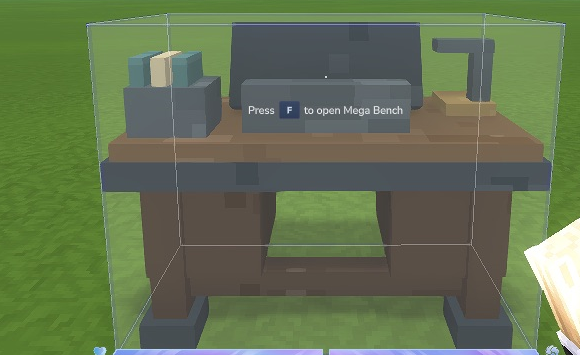
Native Hytale 0.7.4: the Hitbox Tool shows the corrected outline around the bench. The outline is visible during inspection with the tool.
An older placed bench asks to be replaced
Back up the test world and player files, then normally break and replace that Mega Bench. The current development build does not automatically migrate earlier tier-one access blocks. Your player capabilities are saved separately.
My physical station is not unlocked in the library
Owning a physical workbench does not automatically unlock its capability. Select it on the left and pay its original unlock recipe. The purchase does not award another physical station.
I have the ingredients but cannot craft
Check the selected source’s paid tier, recipe knowledge and original prerequisites. Wait for its paid upgrade to finish. Make room for every output in the full chosen batch, finish or cancel the current job, and remain near a placed Mega Bench.
The station says Adapter required
Use that source station directly. Processing, fuel, builder and special plugin interfaces need dedicated adapters; merely discovering a station does not make its behaviour compatible.
I cannot move inventory items in the library
The lower inventory is a live preview. Close the library and organise items in Hytale’s normal inventory, then reopen it.
Search shows no recipes
Press Find after typing. Check the selected source, category and filter. All workbenches searches your unlocked capabilities; select a locked station directly to preview its requirements.
My progress is missing after switching worlds
Progress belongs to each world and player. Confirm you loaded the expected world with the matching player files. Before a downgrade, restore the complete matching backup rather than combining unrelated player/world/JAR files.
Report an issue with versions and clear reproduction steps. Do not post credentials, full player saves or private account information.