The crafting library
The crafting library
Choose a station on the left
The source list groups workbenches by mod and shows Locked, Unlocked · Tier N or paid work in progress. Select one to place its Unlock and Upgrade controls below the list. If several original recipes can unlock that station, use the recipe arrows to choose one; its costs are shown before payment.
A station marked Adapter required keeps its own original interface. Use it directly.
Find a recipe in the centre
Search uses recipe names, item names and source identity. Press Find after entering text. With All workbenches selected, search spans your unlocked stations in Survival and every supported station in Creative. A selected station offers its original category tabs.
- All shows recipes within the current source/search selection.
- Unlocked narrows the list to your available bench tiers: paid tiers in Survival, or all supported tiers in Creative.
- Craftable also checks known recipes and available ingredients for the chosen quantity in Survival. Creative does not need ingredients. The server still checks output space and current state before accepting work.
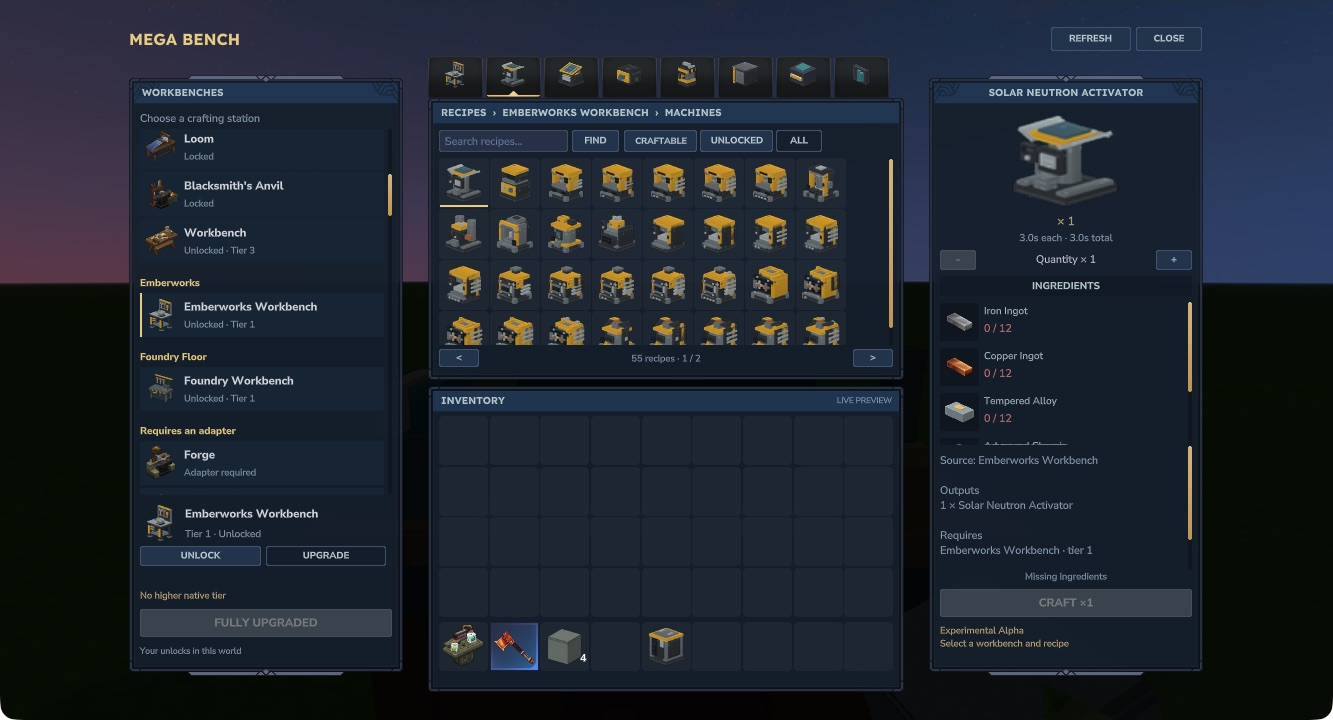
Mega Bench in Hytale 0.7.4. Emberworks retains Machines, Power, Transport, Storage, Multiblocks, Components and Upgrades.
Use it as a Creative catalogue
In Creative mode, browse every supported workbench and tier without paying unlock or upgrade costs. Search, category tabs and recipe filters work as a catalogue. Select a recipe, choose 1–16 crafts and press Craft to receive its outputs without supplying ingredients.
The left panel shows Creative · all tiers available, with no payment needed. The recipe panel confirms Creative · no ingredients needed. Crafting still uses Hytale’s native queue, original duration and output-space checks. Original recipe knowledge and world-memory checks, unsupported augments and server-disabled stations still apply.
Switching back to Survival restores your existing paid unlocks and tiers. Creative browsing and crafting do not grant permanent unlocks or consume upgrade materials. The interface refreshes when the server changes your game mode.
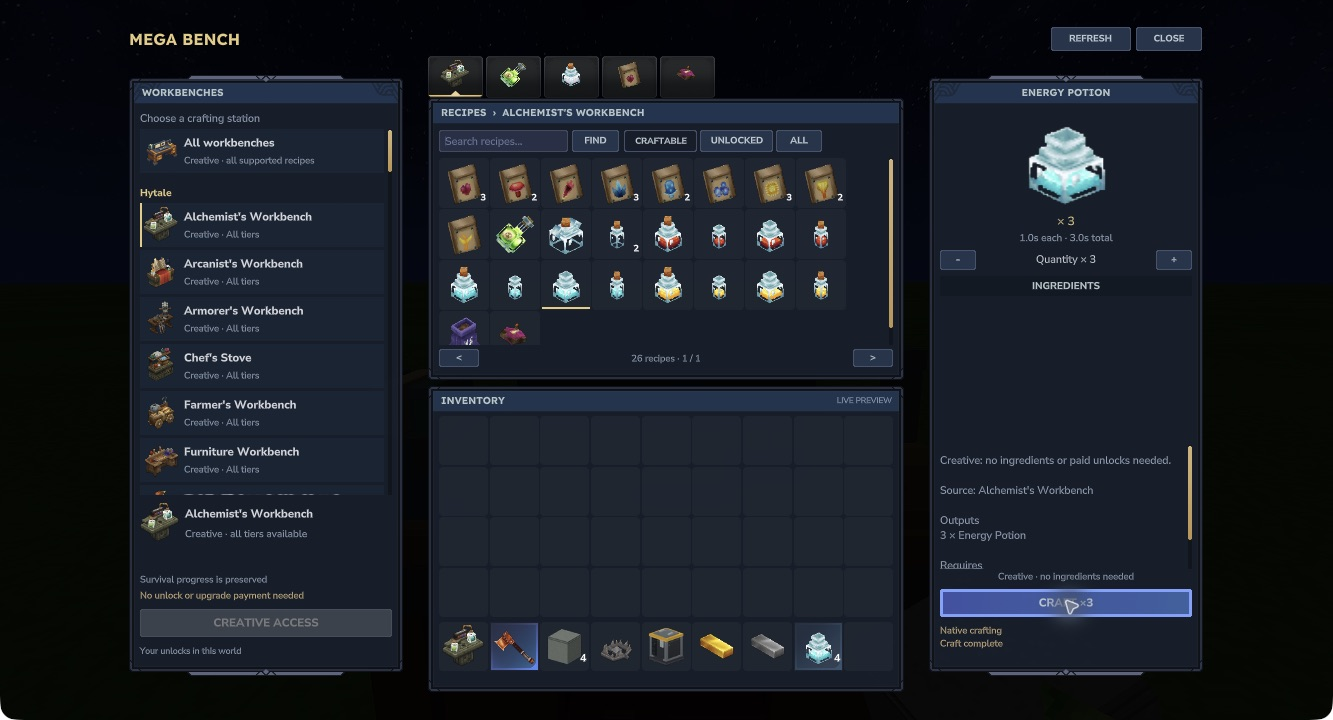
Mega Bench in Hytale 0.7.4: an unpaid Alchemist’s Workbench is available in Creative, with four crafted Energy Potions in the live inventory after one craft and a batch of three.
Check your chosen download’s release notes for Creative crafting availability.
Check the recipe on the right
The right panel shows the output, source, ingredient counts, crafting time and original progression requirements. Green counts mean you have enough; red counts identify missing ingredients.
Use − and + for 1–16 crafts. Costs, output quantities and total time update together. This changes crafting quantities without changing the selected station’s unlock or upgrade cost.
Only one native crafting job runs at a time. Cancel craft and closing the interface use the native cancellation/refund path. A completed unit remains yours if you cancel a later unit in a batch. Keep room for every output before starting.
The inventory beneath the recipe grid is read-only. It updates to match the server inventory, but items are organised through the normal inventory screen.